
Start with the selected tab and weapon category
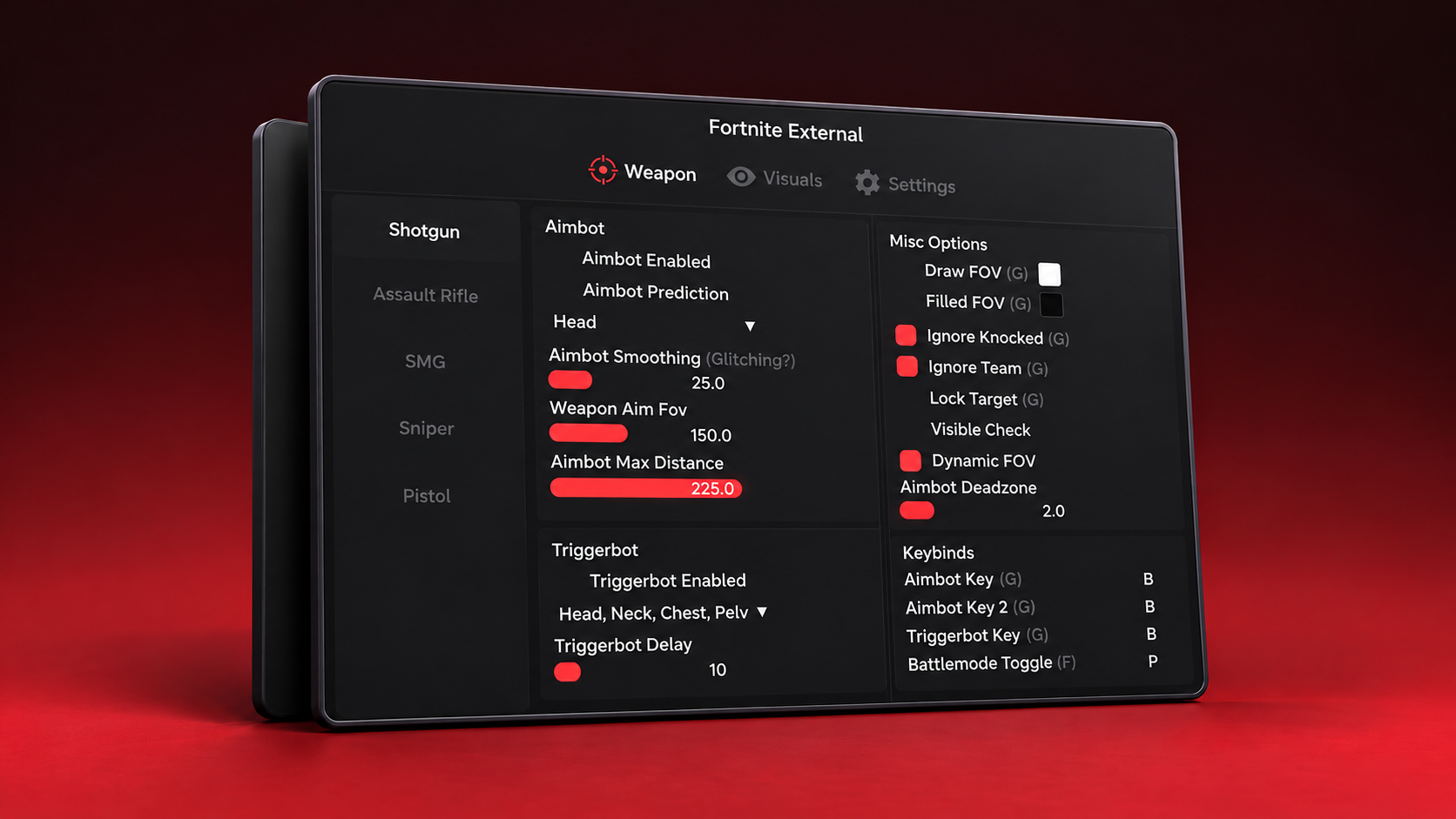
The supplied screenshot is headed Fortnite External and has Weapon, Visuals and Settings tabs. The selected view is Weapon. Its left navigation shows Shotgun, Assault Rifle, SMG, Sniper and Pistol categories, while the main area is divided into aim and miscellaneous settings.
That layout is useful context. A screenshot of one tab should be read as a view of that tab, rather than proof of every possible feature in the program. Cheat Market keeps the original image in the gallery so you can inspect the actual supplied view alongside its styled card.
Compare aimbot controls individually
The image shows enable and prediction controls, a head selection, smoothing, aim FOV and maximum distance. A separate column contains target-related settings and FOV display controls. When researching Fortnite aimbot products, these are more specific comparison points than a broad claim about an aim feature.
The screenshot records the interface and values supplied for the catalog. Those visible numbers are not a recommended configuration or a performance test. Use the preview to understand the layout, then check the full product information as it becomes available.
A separate triggerbot section and keybind area
Below the aim controls, the preview shows a Triggerbot section with its own enable control, a target selection and a delay setting. The Keybinds column lists bindings for the aimbot, a second aim key, triggerbot and battle-mode toggle.
Keeping these sections separate makes the menu easier to inspect. It also helps you ask a precise question about a product: which controls are actually documented, and where do they appear? Our Fortnite listing puts the screenshot next to the durations so you do not need to rely on a generic feature image.
Put the menu beside the access options
Disconnect Fortnite External currently lists five durations: one day, three days, seven days, thirty days and lifetime. The original USD prices are $9, $18, $35, $65 and $300 respectively. The product page displays those options in a consistent license panel.
The gallery also keeps your chosen image when you change a duration, which makes side-by-side review simpler. For the broader collection overview and the latest catalog details, continue to our Fortnite cheats guide.
ANSWERS